Account alerts
SIM Swap (2026): Sudden No Signal, Stolen OTPs — What To Do Now
SIM swap attack signs: sudden no signal and password resets. How SIM swapping steals SMS OTPs — and what to do with your carrier and accounts immediately.
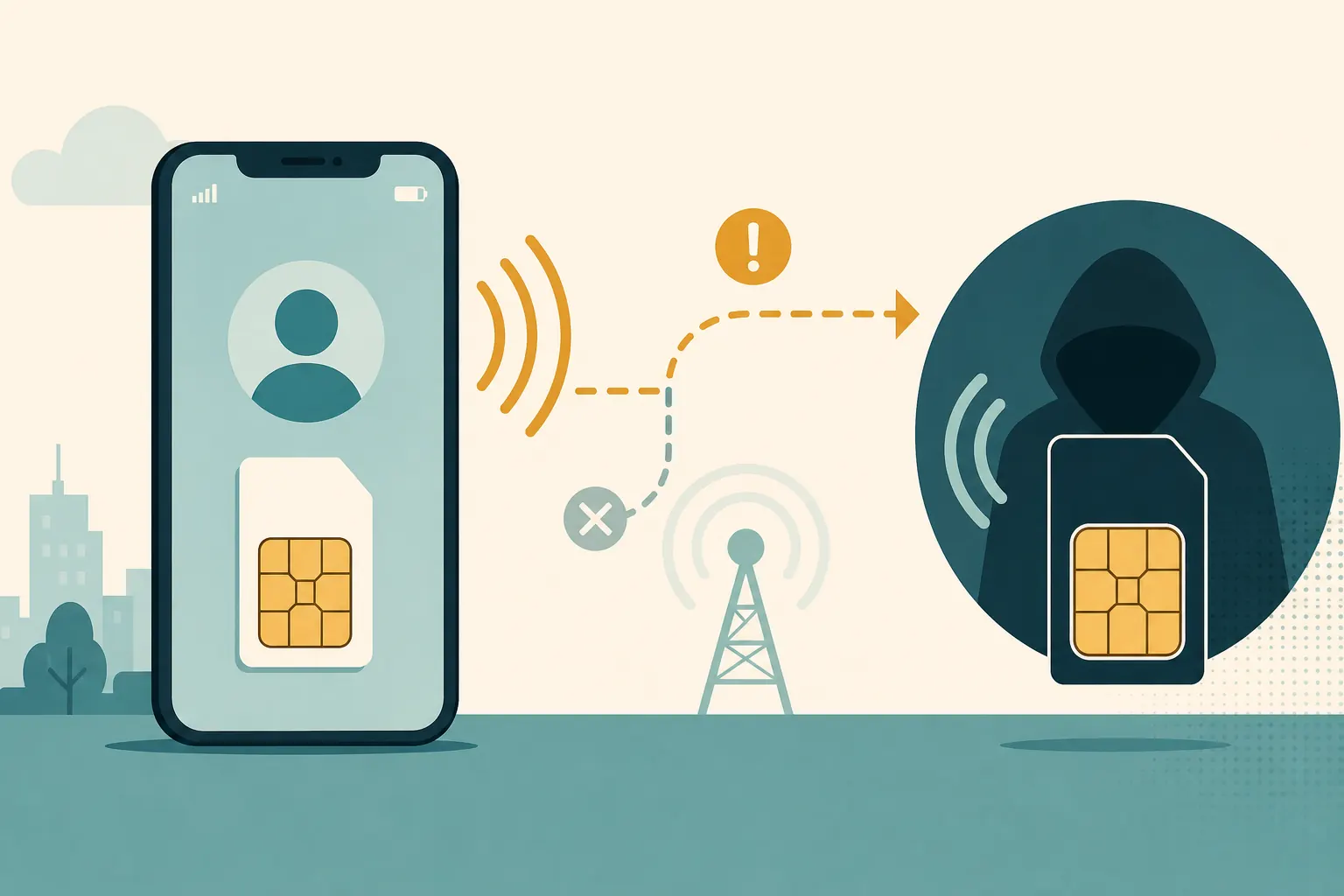
Short answer: A SIM swap (SIM swap attack / SIM hijack) is when a scammer moves your mobile number to a SIM they control. SMS codes and calls meant for you go to them. Sudden loss of signal + unexpected password resets = treat it as an emergency: call your carrier, lock email, and move important 2FA off SMS.
A SIM swap happens when an attacker convinces your mobile carrier to port your number. Banks and apps that trust “SMS to your number” then trust the attacker. You may notice dead signal first — and account takeovers minutes later.
SIM swap attack warning signs
- Sudden loss of mobile service
- Messages about a SIM change you did not request
- Unexpected password reset emails
- Friends receiving odd messages from your apps
- Banking texts about logins or transfers you did not make
- WhatsApp or similar apps showing a device registration notice you did not initiate
- Carrier emails about SIM, eSIM, or port activity you do not recognize
Any one sign can have an innocent explanation. Sudden dead signal plus reset emails is an emergency pattern, not a curiosity.
Why attackers want your phone number
- SMS one-time codes
- Password reset flows
- WhatsApp/Telegram activation
- Some banking alerts
- Customer-support callbacks that treat the number as identity
If your security depends heavily on SMS, a SIM swap becomes more dangerous. The phone number becomes a master key for whatever still trusts SMS.
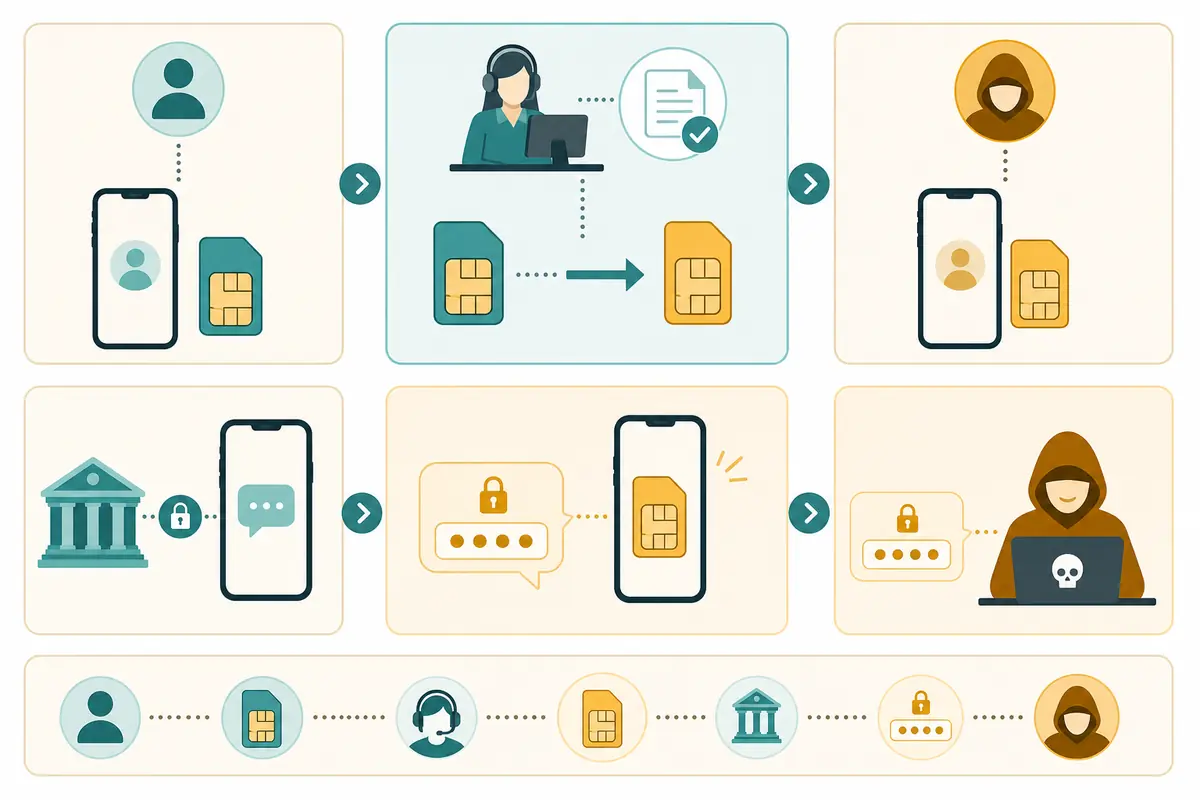
Attackers may combine a SIM swap with passwords stolen from older breaches, phishing, or malware. The swap does not always need to “guess” everything from scratch. It often completes a takeover that started somewhere else.
How the takeover unfolds
The social-engineering path
In many cases, someone impersonates you to customer support: they claim a lost phone, damaged SIM, or urgent replacement. If they have enough personal details — full name, address, account snippets, answers to weak knowledge questions — a rushed support flow can transfer the number.
The insider or process-abuse path
Some real-world cases involve bribed or tricked retail staff, or weak carrier processes around ports and SIM changes. You cannot see those internals as a customer, which is why adding carrier-side PINs and port freezes matters when available.
What changes the moment the number moves
Your old SIM loses service. Their SIM starts receiving calls and texts. Password resets that SMS to your number now authenticate them. Messaging apps that re-register by SMS can be hijacked. If your email recovery also depends on that phone number, the blast radius grows quickly.
Why “I still have my physical SIM” is not enough
The plastic card in your phone is not the number. The carrier’s routing decision is. Once the number is reassigned, your old SIM is just offline plastic until the carrier restores service to you.
Who attackers target most
People with public phone numbers, crypto activity, high-profile social accounts, or visible wealth cues are frequent targets. Journalists, creators, and executives show up in case studies for a reason.
That said, SIM swap is not only a celebrity problem. If your number is easy to find, your passwords have leaked before, or your important accounts still use SMS 2FA, you are in the practical risk pool. Attackers automate parts of account checking; they do not need you to be famous to find value.
Mistakes that widen the blast radius
Treating SMS 2FA as strong 2FA
SMS is better than nothing in some setups, but it is weaker than authenticator apps or security keys because it can be redirected with the number. Building your whole recovery strategy on SMS creates a single point of failure.
Ignoring carrier account protections
Many carriers offer extra PIN, passphrase, or port freeze options. Skipping them leaves the social-engineering door wider.
Assuming signal loss is always a tower issue
Sometimes it is. When it arrives with account alerts, treat it as security first and coverage second.
Securing social apps before email
If attackers have your number and can reset email, they can often reset everything else afterward. Email first is the stabilizing move.
Waiting to “see if service comes back”
In a true swap, waiting hands the attacker more OTP windows. Call the carrier from another line promptly.
How to harden your number and logins
- Move important accounts from SMS 2FA to authenticator apps or security keys
- Ask your carrier about SIM/port freeze PIN protections
- Use unique passwords so resets alone are harder
- Keep recovery emails secured with strong 2FA
- Treat unexpected signal loss as a security event, not only a network glitch
- Limit where your phone number is publicly posted
- Review account recovery options so a stolen SMS channel is not the only path back in for attackers — or the only path back in for you after you regain the number
- Keep an offline note of carrier account numbers and support paths you initiate yourself
Authenticator apps and security keys do not move when your SIM does. That single architectural difference is why upgrading 2FA methods is the highest-leverage defense for most people.
Build the protection stack
Step 1 — Upgrade 2FA on the crown jewels
Start with email, then banking and primary social or cloud accounts. Prefer an authenticator app or hardware security key where supported. Keep backup codes offline.
Step 2 — Call your carrier and ask specific questions
Ask whether you can set a customer PIN, disable unauthorized SIM swaps, freeze ports, or require in-person changes. Exact names vary by country and carrier. Write down what they enabled.
Step 3 — Unique passwords everywhere that still matters
A SIM swap plus a reused password is a gift set. A password manager helps here.
Step 4 — Clean recovery paths
Remove old phone numbers you no longer control. Make sure recovery email addresses are ones you still own and have secured.
Step 5 — Practice the emergency path mentally
Know how you would contact the carrier without your own mobile service: another phone, a landline, a partner’s handset, or a carrier store visit with ID.
If the swap already happened
- Contact your carrier from another phone ASAP
- Secure email first from a trusted computer
- Change passwords on major accounts
- Revoke sessions and app logins
- Alert your bank if SMS banking is enabled
- Re-register or secure messaging apps that use your number
- Document times, carrier ticket numbers, and account alerts for disputes
- After the number is restored, revisit 2FA settings so SMS is no longer the primary control
Speed matters more than perfect calm. You can refine passwords and audit sessions after the bleeding stops — first interrupt the attacker’s access to OTPs and email.
If money moved, contact your bank’s fraud line through a number you look up independently (not from a text that arrived during the incident). Ask about transaction freezes and monitoring.
Quick answers
FAQ
8 questions
A fraud technique where someone tricks (or bribes) a mobile carrier into moving your phone number to a SIM they control, so they receive your SMS codes and calls.
Trusted sources
- Report fraud to the FTC
- FCC consumer resources
- CISA: multi-factor authentication
- FTC: how to avoid a scam
Key takeaways
SIM swap attacks steal accounts by stealing the phone number that receives SMS codes and reset messages. Sudden signal loss plus unexpected resets is a reason to call your carrier immediately and lock down email first. Reduce risk by moving important accounts to authenticator apps or security keys, adding carrier PINs or port freezes, and using unique passwords. SMS 2FA is convenient and fragile at the same time — treat it as a weak link you actively replace, not as proof you are fully protected.
Was this guide helpful?
Tap like or dislike — one vote per visitor.
Comments
Share a tip or question. Keep it practical — no spam, links farm, or personal data dumps.
- Loading comments…