Jobs and selling
WhatsApp Job Scam (2026): Fake Remote Jobs, Earnings & Fees
WhatsApp job scam or job scam WhatsApp offer? Spot fake remote tasks, fake earnings, withdrawal fees, and OTP requests — plus what to do if you paid.
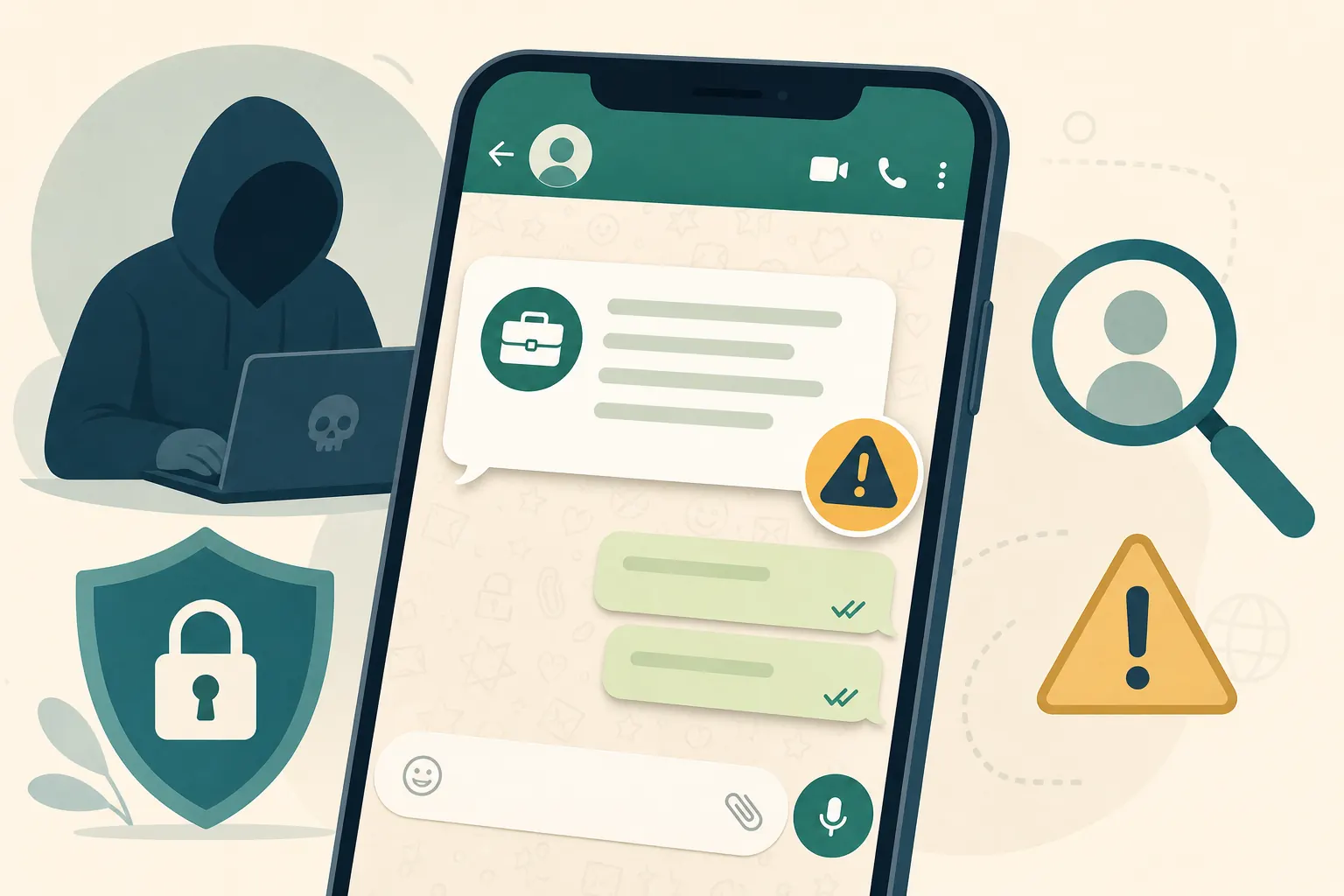
Short answer: A cold WhatsApp job scam / job scam WhatsApp message promising easy remote pay, showing fake earnings, then asking for a fee or OTP before withdrawal is fraud. Do not pay to “upgrade,” “clear tax,” or “unlock” money. Verify the company off WhatsApp first. Same playbook on Telegram: Telegram remote job scam.
How fake WhatsApp job scams work
Most fake WhatsApp job offers follow a funnel designed to build trust first and ask for money later.
- Friendly first message about remote work
- Quick "interview" with almost no verification of you
- Small fake tasks that create a sense of progress
- A dashboard screenshot showing money you "earned"
- A fee, tax, or upgrade required before withdrawal
- Pressure if you hesitate
- Optional second hit: "recovery agents," fake lawyers, or more fees after the first payment
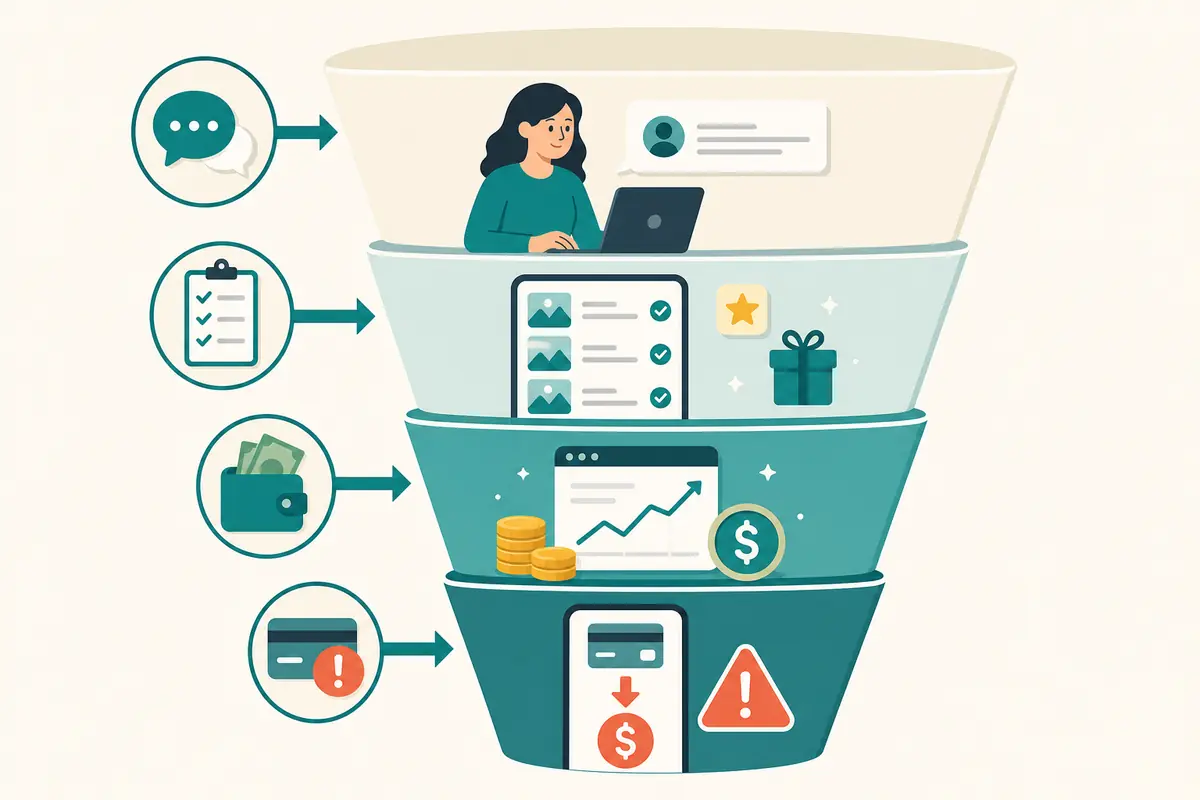
Pattern catalog
Phase 1: Friendly outreach
The first message sounds casual and helpful. The recruiter claims to have found your profile, resume, or recent post.
Phase 2: Low-friction trust building
The scammer avoids real vetting, answers quickly, and makes the opportunity feel special.
Phase 3: Tiny tasks and fake momentum
You are asked to like posts, submit screenshots, or complete simple steps that feel easy and legitimate.
Phase 4: Fake earnings and social proof
A dashboard or chat group shows money you "earned" or other workers celebrating withdrawals.
Phase 5: The fee gate
The process suddenly requires a registration fee, tax, deposit, or upgrade before you can withdraw.
Phase 6: Pressure and recovery bait
When you hesitate, deadlines get shorter, support gets harsher, and a new scammer may appear promising to "recover" the money.
Why the funnel feels legitimate
Scammers understand psychology. Small tasks create commitment. Fake balances create greed and hope. Group chats full of other "workers" celebrating withdrawals create social proof - even when those messages are scripted. By the time a fee appears, many people feel they are protecting money they already "earned," not gambling on a stranger in a chat.
Some variants skip tasks and jump straight to "registration," "kit fees," or "visa processing." Others pose as well-known brands hiring "mystery shoppers" or "data entry assistants." The channel stays WhatsApp because it feels informal and hard to verify.
Red flags that matter most
- Pay is unusually high for simple copy-paste or "like and review" tasks
- No official job page you can verify independently
- They avoid company email and stay only on WhatsApp
- They ask for registration fees, crypto deposits, or gift cards
- They ask for OTPs, banking screenshots, or ID "for onboarding" too early
- Withdrawal is always blocked by a new payment requirement
- The "HR" person cannot join a real video call from a known company account
- They discourage you from telling family members or "slowing down verification"
Soft red flags people overlook
Not every fake job starts with an outrageous salary. Watch for softer tells:
- The recruiter found you, but cannot explain which public post or platform led them there
- Contracts arrive as blurry images or editable files with no legal entity details
- Payment platforms keep changing ("use this wallet today")
- They claim international companies cannot use normal payroll "because of policy"
- Negative reviews appear when you search the exact company name plus "scam" or "WhatsApp"
One soft flag may be explainable. Several together are a pattern.
Verification checklist early-middle
Do this before you send ID photos, money, or banking details.
- Search the company name + "careers" on the official website (typed by you)
- Confirm whether the role exists publicly
- Ask for a company email domain and call a published phone number
- Never share OTP codes with recruiters
- Do not install unknown APKs or "task apps" from chat links
- Reverse-search logos and recruiter photos when something feels recycled
- Ask how taxes, contracts, and payroll are handled - vague answers are a warning
Step-by-step verification routine
Use a short checklist every time an unsolicited WhatsApp job appears:
- Pause the chat. Do not send money "to keep the slot."
- Copy the company name and search it in a browser yourself.
- Open only the official domain you recognize, not ads or lookalike sites from the chat.
- Find careers or contact pages. Call a number published there, not a number the chat provides.
- Ask the published contact whether this WhatsApp recruitment is real.
- If nobody can confirm it, end the conversation. Block and report.
This takes longer than tapping "Yes." It is still cheaper than a "training upgrade."
Common mistakes that keep the scam going
- Believing fake dashboards and withdrawal screenshots
- Paying a "small" first fee because it seems reversible
- Sharing OTPs to "activate the worker account"
- Installing task apps from links instead of official stores
- Sending passport or national ID photos early without a verified employer
- Staying in the chat out of embarrassment after the first payment
- Trusting testimonials inside the scammer's own group chat
Embarrassment is part of the design. Scammers count on silence. Reporting helps the next person, and it often helps your own recovery process with banks or platforms.
If you already sent money
Act quickly and document everything.
- Contact your bank/payment provider immediately
- Save chat screenshots, wallet addresses, and phone numbers
- Report in WhatsApp and to local cybercrime channels where available
- Warn friends if the scam used your name or contacts
- Watch for follow-up "recovery" scammers who claim they can get refunds for a fee
- Change passwords if you reused any credential in their "portal"
- Monitor accounts if you shared OTPs, card photos, or ID documents
If you already shared an OTP or ID
Treat that as potential account or identity risk, not only a job issue.
- Change passwords on related email and banking accounts from a trusted device
- Enable or confirm two-factor authentication
- Review login sessions and connected devices
- Tell your bank if ID images or full card details were shared
- Be alert for new scams that reference your real documents
Do not pay a second stranger who messages you claiming they can recover the first loss. That is often the same criminal network with a new script.
What safer job search looks like on chat apps
WhatsApp can be a contact channel after you already verified an employer. It should not be the only channel for hiring, contracts, and payments.
Safer patterns:
- You applied on an official careers page first
- The recruiter uses a company email you can verify
- Interviews happen on known platforms with identifiable company accounts
- You never pay for training, equipment deposits, or withdrawal clearance
- Payroll goes through normal employment or contractor processes, not personal wallets
If a role is real, verification will not destroy the opportunity.
Recovery and aftercare
If you lost money, the first goal is to stop more damage. The second is to reduce future risk.
- Contact your bank or payment provider
- Preserve chat logs, receipts, wallet addresses, and profile screenshots
- Review WhatsApp linked devices and two-step verification
- Change passwords you reused anywhere in the scammer's workflow
- Watch for follow-up messages from "refund agents" or fake investigators
- Tell contacts if the scam used your account to reach them
Quick answers
FAQ
9 questions
A fraud pattern where recruiters message you on WhatsApp about remote “tasks,” show fake earnings, then demand a fee, deposit, tax, or OTP before you can withdraw.
Trusted sources
Key takeaways
- Fake WhatsApp jobs build trust with tasks and fake earnings before asking for money.
- Paying to withdraw, upgrade, or clear taxes is a classic scam demand.
- Verify companies on official websites and published phone numbers, not inside the chat.
- Never share OTPs with recruiters.
- If you already paid or shared data, document everything, contact your bank, report, and ignore recovery scams.
Was this guide helpful?
Tap like or dislike — one vote per visitor.
Comments
Share a tip or question. Keep it practical — no spam, links farm, or personal data dumps.
- Loading comments…