Education guide
Amazon Package QR Code Scam (2026): Don’t Scan That Mystery Delivery
How Amazon package QR code scams work, real-world warning signs, technical and manual checks to spot fraud, and what to do if you already scanned.

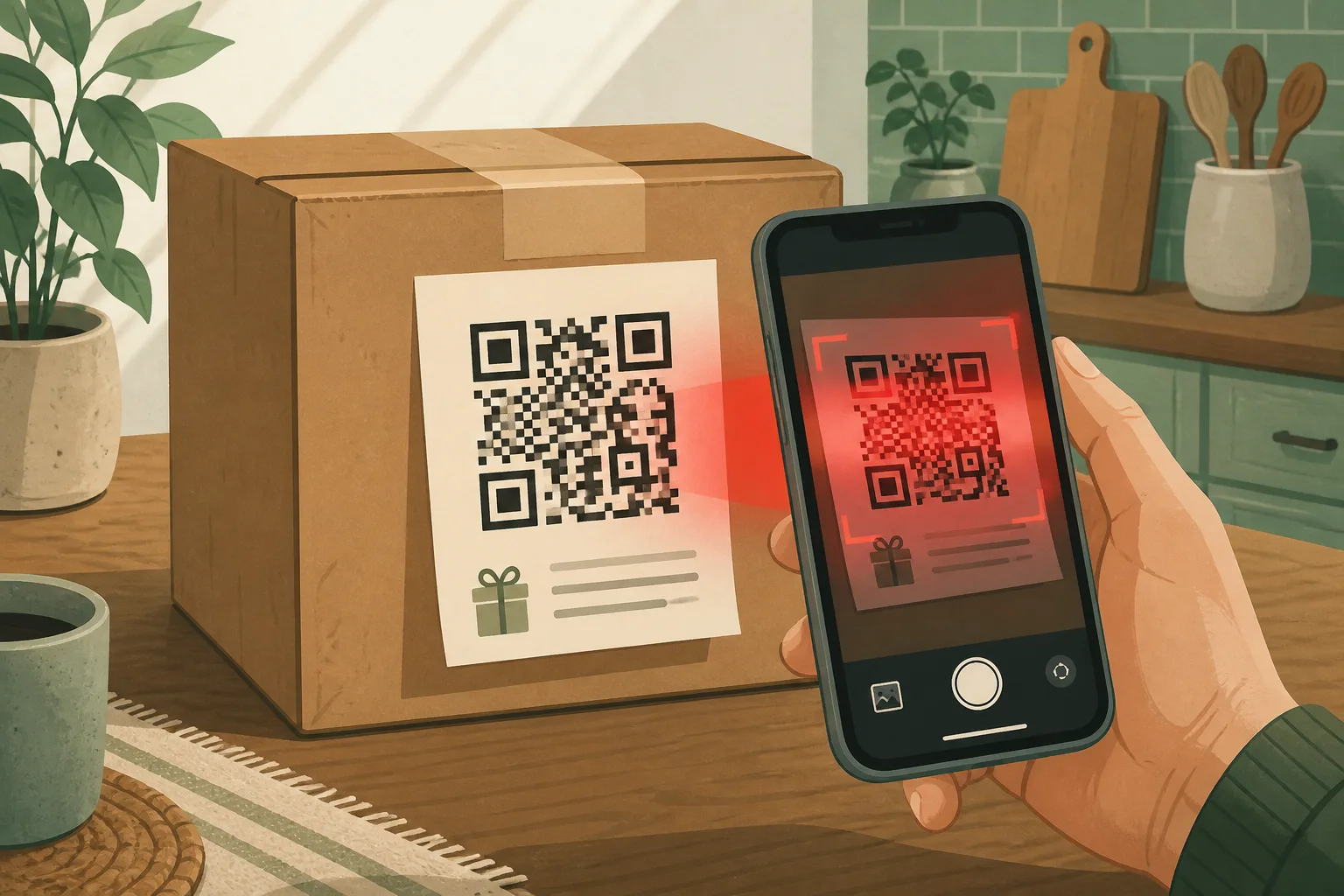
A cardboard box lands on your doorstep. Your name is on the label. You do not remember ordering anything. Inside — or stuck on a card — is a QR code: “Scan to see who sent this gift,” “Leave a review for a reward,” or “Confirm delivery details.” Curiosity does the rest. That is the Amazon package QR code scam in one beat: a believable package, a hidden link, and a rush to “just check.”
Law enforcement and consumer agencies have warned about unsolicited packages and Amazon-branded cards that push people to scan QR codes. The branding is borrowed. The destination is not Amazon. This guide walks through a real-world style scenario, then the manual and technical checks that separate a weird delivery from a fraud trap.
What this scam is trying to do
The package is theater. The QR code is the payload. Scanning it can lead to:
- A fake Amazon, bank, or “reward” login page that steals passwords
- A payment form for a “fee,” “customs charge,” or “claim reward”
- Malware or a malicious app install on your phone
- Enough personal data for identity misuse or follow-up phishing calls
Some cases start as brushing (unordered items shipped to inflate fake seller reviews). Fraudsters layered QR codes onto that pattern because people already feel confused — and confused people scan.
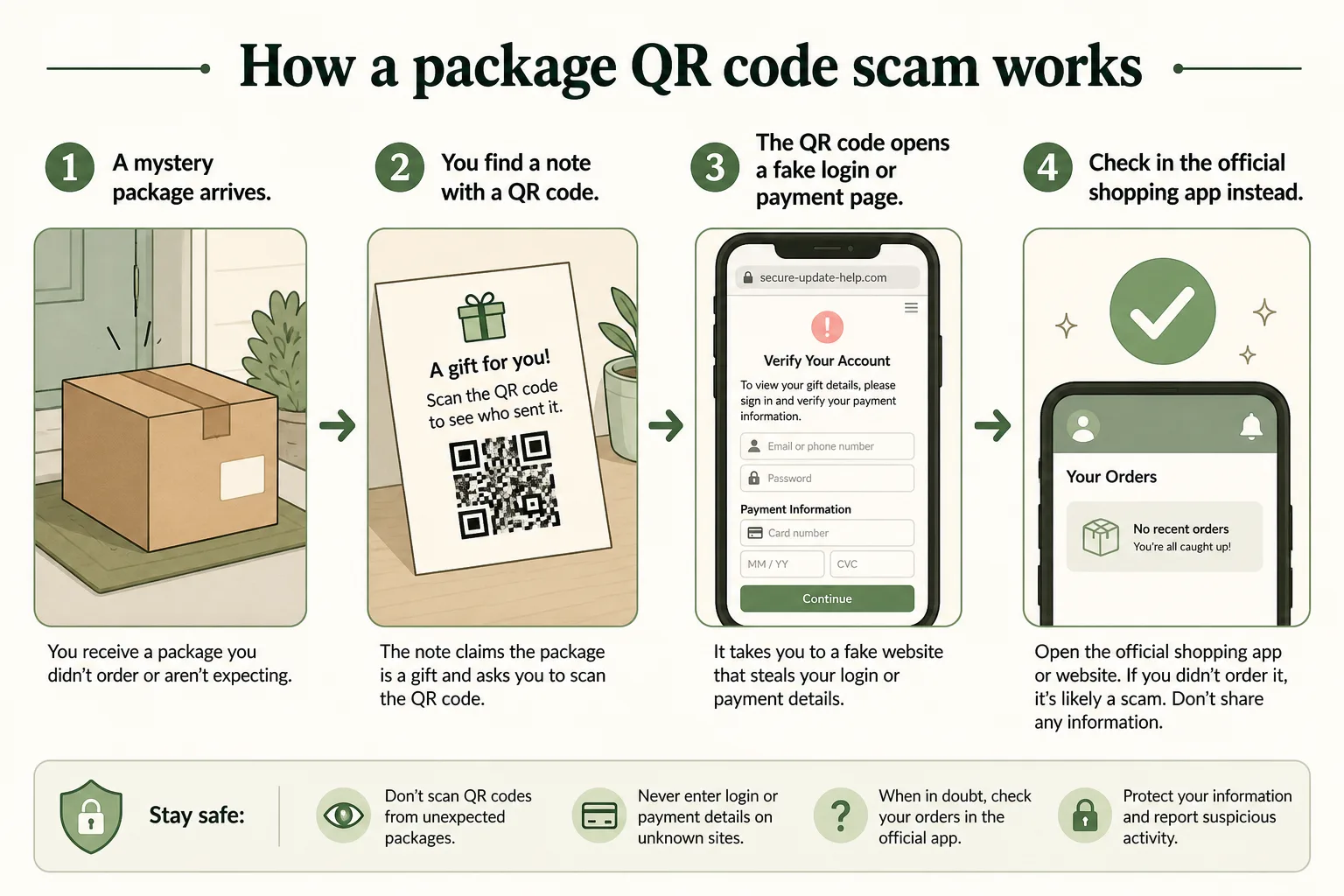
How the Amazon package QR scam works
- Unexpected delivery — A package (or postcard) arrives with your name/address, often looking like everyday marketplace packaging.
- Curiosity bait — A note asks you to scan to identify the sender, claim a prize, leave a review, or “verify” the shipment.
- Hidden link — The QR code encodes a URL. You cannot read the destination until after you scan (or until your camera shows a preview).
- Capture page — A lookalike site asks for Amazon login, card details, address “confirmation,” or an app install.
- Abuse — Credentials, cards, or device access get used for fraud; you may get follow-up “support” calls later.
Related variants use the same idea without a physical box:
- Amazon-looking postcards with QR codes (reported in the UK and elsewhere)
- Delivery texts/emails with QR codes or links to “reschedule” a package
- Stickers placed over real QR codes in public places (parking, menus) — different setting, same hidden-link risk

Best real-world example (composite, based on public warnings)
Police departments and security researchers have described a pattern like this:
A resident receives a parcel they did not order. The packaging feels familiar — brown box, shipping label, sometimes Amazon-style presentation. Inside is a small item or only a card. The card says something friendly and urgent at the same time: find the gift sender, claim credit, leave five stars for a reward. Scanning opens a page that looks like a login or payment portal. People who enter credentials may lose account access; people who enter card details may see unauthorized charges; some codes push malware that steals data from the phone.
The emotional design is deliberate:
- Your real address makes the package feel “official”
- “Gift” language makes scanning feel polite, not risky
- A reward makes scanning feel profitable
- Standing in your own hallway makes you less careful than at a desk
That is why the safest habit is boring: never scan first — verify the order in the official app first.
Manual techniques to identify the fraud
These checks need no special tools. Use them every time.
1. The “Did I order this?” check
- Open the official Amazon app or amazon.com yourself (home screen / bookmark — not a link from the package).
- Check Orders, returns, and account messages.
- Ask household members if they ordered something.
- If nothing matches, treat the QR as hostile until proven otherwise.
2. The sender and label check
Look at the package before you touch any QR code:
- Missing, vague, or nonsense return address
- Seller or ship-from details that do not match anything in your account
- Spelling mistakes on stickers or “official” cards
- A card that exists only to push a scan (no product, or a junk product)
Real marketplace deliveries can look imperfect. A QR-for-gift card on an unordered box is still a classic bait shape.
3. The “Amazon never needs this” rule
Amazon account security, tracking, and returns happen inside:
- the official app
- the official website
- Amazon’s documented help flows
They do not depend on a paper QR from a surprise porch drop. If the only path to “resolve” the mystery is scanning that code, walk away.
4. The curiosity pause
Ask out loud:
- Who benefits if I scan this right now?
- Can I verify this without the QR?
- Would I click a random shortened link in a text that said the same thing?
If the answer to the second question is yes, you do not need the QR.
5. Physical postcard / flyer variant
If a card arrives in the mail with Amazon branding and a QR “offer”:
- Do not scan
- Do not email any private Gmail/Outlook address printed on the card
- Check offers only inside your real Amazon account
- Report suspicious mail through official Amazon scam-reporting channels when available
6. Household communication
Tell parents, roommates, and older relatives one sentence:
“If a package you did not order asks you to scan a QR code, put the phone down and open the shopping app instead.”
That single ritual stops most of these scams.
Technical techniques to identify the fraud
Use these when you want stronger proof — or when someone else already scanned.
1. Preview the URL before opening it
Modern phone cameras often show the destination URL when you point at a QR code before you tap Open.
- Look for misspellings:
arnazon,amaz0n,amazon-secure-login, extra words - Look for odd domains:
.top,.xyz, long random subdomains, URL shorteners - Real Amazon properties use domains Amazon actually owns (typically rooted in
amazon.country domains / official apps) — lookalikes fail this test
If the preview looks wrong, delete the card. Do not tap through.
2. Inspect the page after a scan (if it already opened)
Without entering anything:
- Check the full URL in the address bar
- Check for HTTPS alone is not enough — fake sites use HTTPS too
- Watch for immediate login walls, “verify payment,” or app-download prompts
- Note poor certificates warnings, browser phishing banners, or Safe Browsing blocks
Close the tab. Do not “just try logging in to see.”
3. Compare against a known-good session
Side-by-side:
- Official app / bookmarked Amazon site
- The page from the QR
Differences in layout, fonts, wording, or domain are evidence. Matching visuals mean nothing — phishing kits clone UIs.
4. Network and device hygiene after a bad scan
If you scanned and the page felt off:
- Force-close the browser
- Clear the site’s data / cookies for that visit if your browser allows
- Do not install any “security update,” APK, or profile the page suggests
- Run a mobile security / Play Protect (Android) or review recent app installs (iOS)
- Change passwords from a different, trusted device if you typed credentials
5. Credential and session checks
If you entered an Amazon password on a fake page:
- Change the Amazon password immediately via the official app/site
- Sign out other sessions / review devices in account security settings
- Turn on or confirm two-factor authentication
- Change any reused passwords elsewhere
- Watch email for password-reset or order confirmations you did not start
6. Payment and bank side
If you entered a card:
- Call the number on the back of your card (not a number from the QR page)
- Ask for fraud monitoring or a replacement card
- Watch statements for small “test” charges
7. Reporting channels that help others
- Report unexpected / suspicious packages through Amazon’s official help flows for unordered items and scams
- In the U.S., forward scam texts to 7726 when the bait arrived by SMS; report fraud at ReportFraud.ftc.gov
- Local police if a physical package + fraud attempt is part of a wider pattern in your area
- Carrier / postal inspectors when mail fraud angles apply
You do not need forensic tools. URL preview + official-app verification + password/card response covers almost every consumer case.
Red flags checklist (save this)
| Signal | Why it matters | |--------|----------------| | Package you did not order | Classic brushing / bait setup | | QR to “see who sent gift” | Manufactured curiosity | | Reward / five-star / credit for scanning | Payment or login harvest | | No matching order in official app | Strong fraud indicator | | Lookalike domain after scan | Technical giveaway | | Asks for password or card immediately | Phishing, not delivery | | Pressure to scan “now” | Social engineering | | Postcard with private email + QR | Known scam shape |
Common mistakes that make this scam succeed
- Scanning while standing in the doorway “just for a second”
- Trusting the Amazon look of the box instead of the order history
- Entering a password to “see the gift details”
- Installing an app the QR page recommends
- Calling a support number printed on the scam card
- Assuming “my address is correct, so Amazon sent it”
- Letting kids or guests scan because the box “looks fun”
Scammers design for that doorway moment. Move the check to the app, and the scam usually collapses.
Step-by-step: what to do with a suspicious Amazon QR package
- Do not scan the QR code.
- Do not enter logins, cards, or personal data on any page from the package.
- Open the official Amazon app or website yourself and check orders.
- Report unordered / suspicious packages through Amazon’s official help.
- Discard or securely dispose of the QR card so nobody else scans it.
- If relatives shop online, warn them the same day — these scams travel by word of porch.
What to do if you already scanned
Scanned only, entered nothing
- Close the page
- Do not return to the link
- Monitor accounts for weird prompts
Entered Amazon login
- Change password on the real site/app
- Review devices and 2FA
- Watch for odd orders or email changes
Entered card or paid
- Contact your bank/card issuer immediately
- Document the package, card, and screenshots for reports
- Report through Amazon and consumer fraud channels
Installed something
- Remove unknown apps
- Run device security checks
- Consider a deeper cleanup if the phone behaves oddly (battery drain, pop-ups, new admin apps)
How this differs from a real Amazon delivery
Real Amazon deliveries:
- Match an order in your account
- Can be tracked inside the app/site
- Do not require a paper QR “gift reveal” to stay legitimate
- Use Amazon’s own messaging channels you already use for that account
Weird returns, replacements, and neighbor deliveries happen. A QR-for-secret-sender card on an unordered box is still a pattern to refuse.
For related delivery fraud, see USPS Package Tracking Text Scam. For broader link safety after a scan, read How to Tell If a Website Is Safe. QR codes also show up in other pressure scams — including DMV Text Scams.
Longer FAQ
Is every unexpected Amazon package a scam?
No. Brushing and misdeliveries exist. The danger is specifically scanning a QR code from an unexpected package instead of verifying in the official app.
Can a real gift from a friend include a QR code?
Possibly — but then verify with the friend by calling a number you already know. Do not use the card’s instructions as proof.
Does HTTPS mean the QR page is safe?
No. Most phishing sites use HTTPS.
What if the QR only shows a blank page?
Still treat it as hostile. Close it. Do not retry from curiosity.
Are Amazon driver texts the same scam?
Related, but different channel. Fake driver/delivery texts use links the same way QR codes hide destinations. Verify inside the official app; do not trust the message link.
Should I throw the package away?
After checking your account and reporting if needed, follow Amazon/local guidance for unordered items. Destroy or discard the QR card so it cannot be scanned later.
Can malware install just from scanning?
Often the risk is the page you open or the file/app you approve afterward. Do not install anything the QR flow suggests. Keep OS and browser updates on.
Key takeaways
- Amazon package QR code scams use real-looking deliveries to hide phishing links.
- Curiosity lines (“who sent this?”) are the social engineering.
- Manual checks: order history, label sense-check, never-need-this-QR rule.
- Technical checks: URL preview, domain inspection, session/password response, bank contact.
- If you already scanned, close the loop on passwords, cards, and device installs fast.
- Teach one household rule: mystery package QR → official app first, scan never.
Was this guide helpful?
Tap like or dislike — one vote per visitor.
Comments
Share a tip or question. Keep it practical — no spam, links farm, or personal data dumps.
- Loading comments…